Guide · Checked 3 November 2026 · Published 3 November 2026 · Listing-based, not hands-on · The Reading With ADHD desk
What is Magic Bookmark, and does it help ADHD readers?

What does Magic Bookmark actually do?
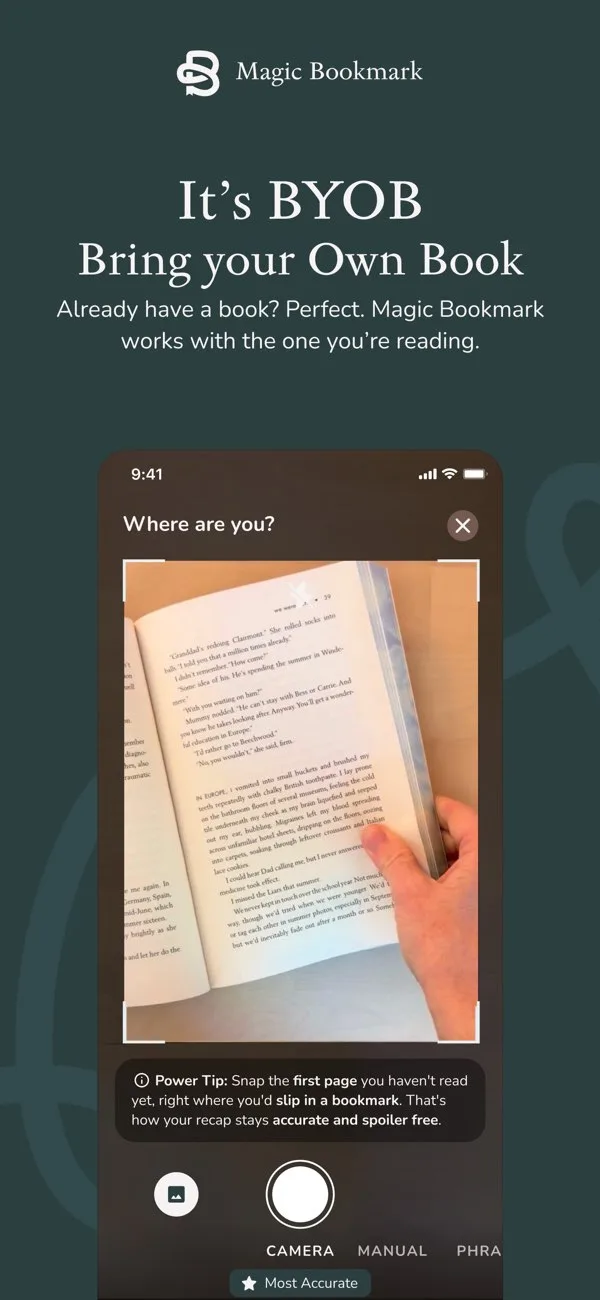
It is a reading companion, not a reading app. It does not contain the book and it does not sell you the book. The developer calls this BYOB: bring, buy or borrow your own book, in hardcover, paperback, ebook, audiobook or library loan. Its website says it works with "any edition, any printing" of a supported title.
Once it knows your place, it gives you four things, and every one of them is capped at that place:
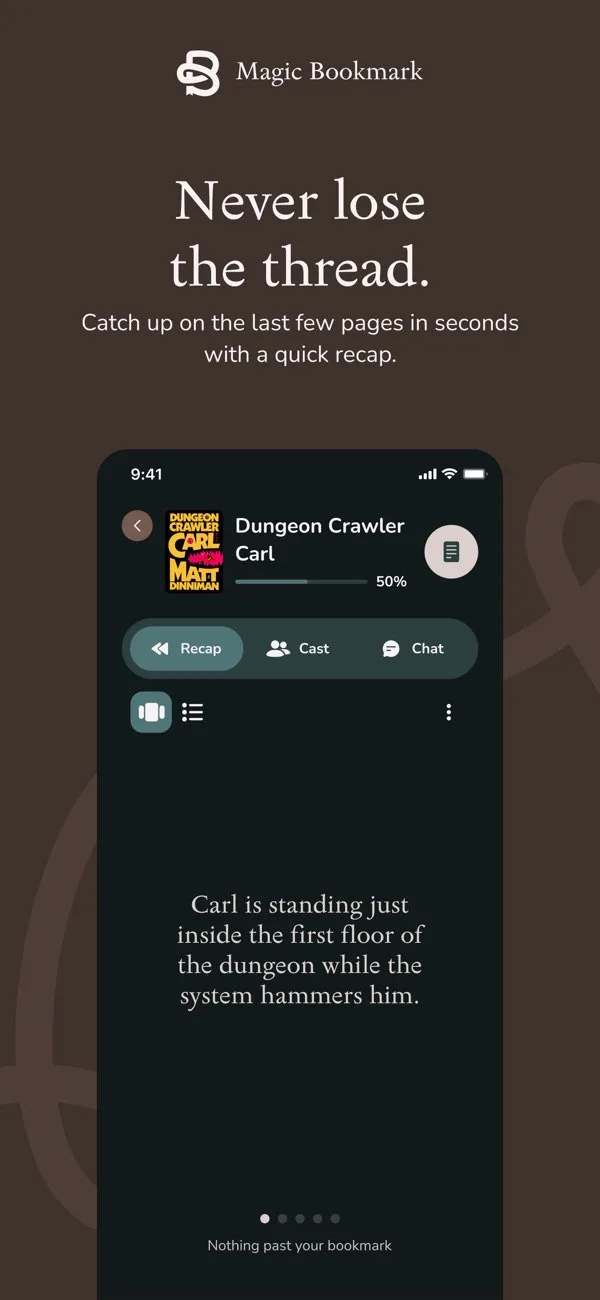
- A recap of the story up to your page. The website says it matches your page, "not just the chapter".
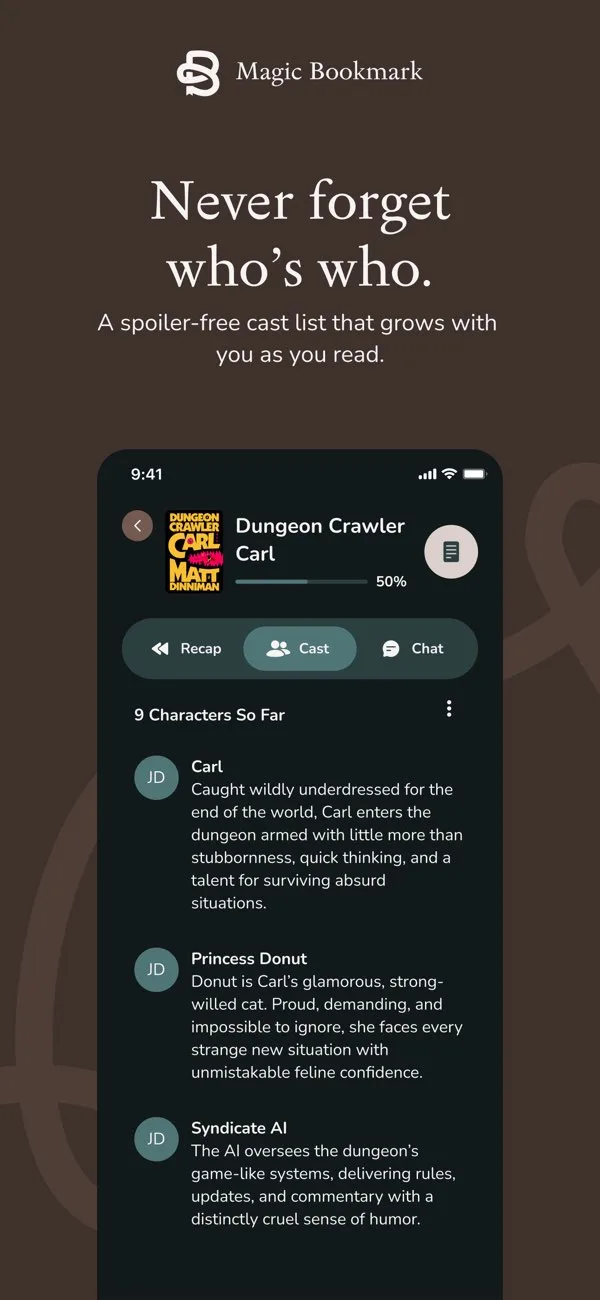
- A cast list: who is who and how they are connected, built only from what you have read. New characters appear only once you have met them.
- Questions about the story so far. You can ask the kind of thing you would ask a friend who has read it, such as "wait, are they together yet?", and get an answer that does not reach past your bookmark.
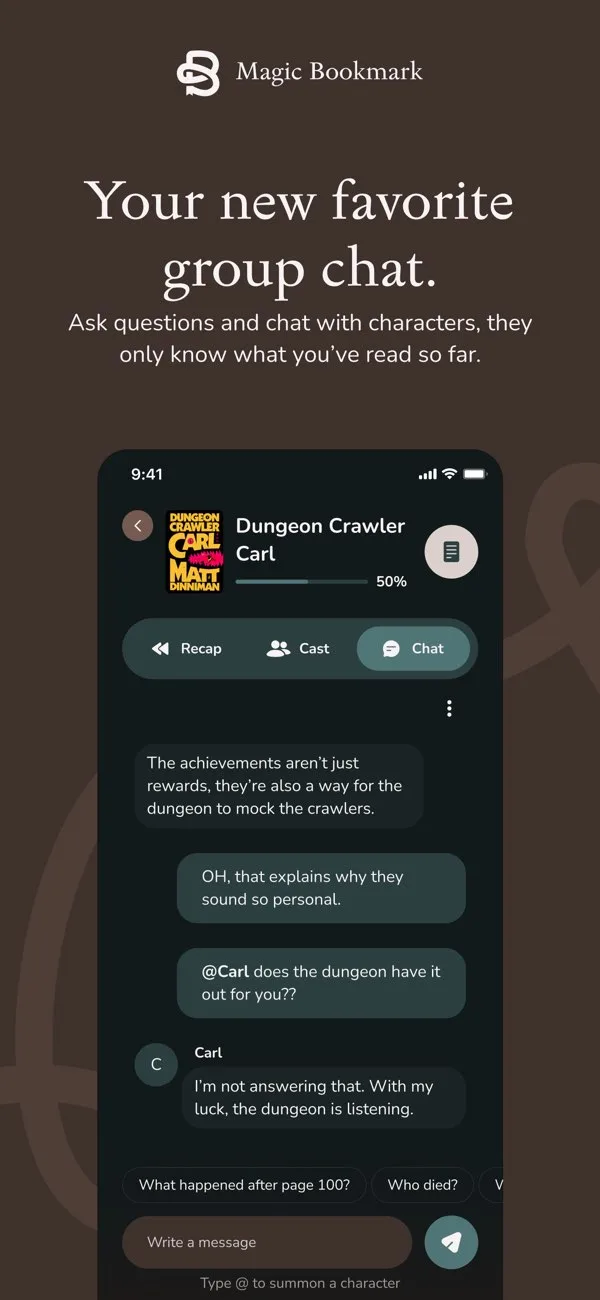 Chat with characters. Type @ and a character's name, and that character answers in character, knowing only the story up to your page. The developer's own example is a character replying that you have not read that far yet.
How does it find your place?
There are three ways in, according to the App Store listing and the website:
- Photograph the page you are on with the iPhone camera.
- Type the page number.
- For an audiobook, type the last phrase you remember hearing. The website calls this CatchPhrase. Audiobook support arrived in version 1.1.1 on 27 October 2026.
Once the bookmark is set, it moves with you through that book. You come back, update your place, and read the recap for the pages since last time.
Why a page-locked recap matters with an ADHD brain
The usual way a book dies for an ADHD reader is not boredom. It is a gap. Two weeks pass, you open the book at your bookmark, and you no longer know who anyone is or why they are angry with each other. From there you have three bad options: push on confused, search the internet for a summary and risk the ending, or start again from page one, which feels like a punishment for having a life.
A recap that cannot see past your page is a fourth option, and it targets the exact failure. It does the job of the cast list and session notes we recommend in Externalize the plot, without asking you to keep them up while you read. It is also the tool version of our method for coming back to a book you abandoned.
Three ADHD situations where it fits especially well:
- The restart after a gap. You stopped mid-book weeks ago. Set your page, read the recap, check the cast, then read the last two pages you remember and carry on.
- Big casts and invented names. Fantasy and romantasy, which the app launched with, often introduce dozens of names, places and titles in the first hundred pages. A cast list that grows as you read takes that load off working memory. See Reading a long series with ADHD.
- Zoning out in an audiobook. You surface ten minutes later with no idea who is talking. Type the last line you clearly remember and read where the story stands, instead of rewinding blind. Our full method is When you zone out during an audiobook.
Which books and genres are supported?
Supported titles only. The developer says it launched with romance, fantasy, romantasy, YA, sci-fi and historical fiction titles that are popular on BookTok and Bookstagram, and is adding more. If your book is not there, you can request it in the app. Titles shown on the developer's website include Fourth Wing, Iron Flame, Onyx Storm, A Court of Thorns and Roses, Throne of Glass, The Cruel Prince, The Hunger Games, Mistborn, Dune, The Hobbit, Circe, The Song of Achilles, Pride and Prejudice, Jane Eyre and The Martian. Check the app for your exact title before you rely on it.
If you are choosing what to read next and want a recap tool in your pocket, our shelf Series worth starting with a recap tool lists series whose first book appears on the developer's published list.
What does it cost? The credit math
The download is free. The App Store listing says your first Bookmark Credit is free; the developer's website, checked on 3 November 2026, also describes a two-week free trial with unlimited books, no credit card and nothing that auto-renews. After that you buy credits. One credit is one whole book: the bookmark moves with you through that book, and you do not pay per session. Credits never expire and there is no subscription.
| Pack | Price | Cost per book |
|---|---|---|
| 1 credit | $4.99 | $4.99 |
| 5 credits | $19.99 | $4.00 |
| 10 credits | $34.99 | $3.50 |
| 50 credits | $69.99 | $1.40 |
Worked examples, using the first free credit:
| Reader | Books that need a recap | Cheapest way | Total | Per book |
|---|---|---|---|---|
| Stop-start reader | 3 | First credit free, then 2 single credits | $9.98 | $3.33 |
| Five-book series | 5 | First credit free, then 4 single credits (a 5-pack costs 3 cents more and leaves one spare) | $19.96 | $3.99 |
| Heavy fantasy reader | 24 | First credit free, then a 50-pack, which leaves 27 credits for later (the cheapest exact mix is two 10-packs and three single credits) | $69.99, or $84.95 for the exact mix | $1.40 per credit, or $3.54 a book with the exact mix |
The pattern: buy one credit at a time until you know you will keep using it. Credits never expire, so a bigger pack only makes sense once you are sure, and the 50-pack is the only one that brings the price under $3.50 a book.
Which devices does it run on?
iPhone, with iOS 16.4 or later. The App Store listing also shows Mac with an Apple M1 chip or later (macOS 12 or later), while the header says "Designed for iPhone. Not verified for macOS." There is no Android version and no web version; the developer's website says Android is "on the roadmap for later". The app is in English and rated 13+.
Who it suits, and who it does not
| It suits you if | It does not suit you if |
|---|---|
| You read print, audio or a non-Kindle ebook and keep losing the thread after breaks | You read only Kindle ebooks bought or borrowed through Amazon in the US: Kindle's free Story So Far and Ask this Book cover many popular titles |
| Your books are mostly romance, fantasy, romantasy, YA, sci-fi or historical fiction | Your books are literary, nonfiction or outside English |
| You read series and forget who is who between books | You are on Android or want a web app |
| You would rather not keep a paper cast list yourself | Your phone is what ends your reading sessions, and a paper card keeps it out of the room |
| You like the idea of asking a character a question mid-book | You want a tool for remembering nonfiction ideas: see Remember what you read |
How does it compare with Kindle's recap tools and with chatbots?
Amazon's Recaps, Story So Far and Ask this Book do related jobs for free, but only inside Kindle ebooks bought or borrowed through Amazon, in the US, for thousands of popular English-language titles. Magic Bookmark costs per book and works with a paperback, an audiobook or any ebook, but only for its supported titles and only on iPhone. A general chatbot such as ChatGPT, Gemini or Claude does not know which page you are on: you have to tell it your place and trust it not to mention later events, and it can mix up books in a series. That is how these tools work, not a test we ran. The full comparison is in Recap tools for ADHD readers, compared.
Privacy, briefly
You photograph pages of your book, so the app handles photos. The App Store privacy label lists identifiers as data that may be used to track you, and purchases, contact info, user content (photos), search history, identifiers, usage data and diagnostics as data linked to you. Read the label on the listing before you install.
Who makes it?
Magic Bookmark is made by Yomu Inc., which also publishes YOMU - Family Reading Habits, an app aimed at families building a reading routine with children. The App Store version history for Magic Bookmark starts with version 1.0.1 on 20 August 2026; version 1.1 (21 October) added a flow for finishing a book and moving to the next, and version 1.1.1 (27 October) added audiobook support. On the US App Store it has a rating of 4.8 out of 5 from a small number of ratings (25 as of 3 November 2026).
Our score
We score every tool against the same published rubric. Magic Bookmark has 65/100 and the verdict BORROW FIRST: real merit, real caveats, so try it on your free first book before you pay. The score is a listing-based desk review, and the reasoning is criterion by criterion in our Magic Bookmark review.
FAQ
Does Magic Bookmark work with paper books?
- Yes. It works alongside your own copy and does not contain the book. You photograph the page you are on or type the page number, and the developer says any edition and printing works, as long as the title is on its supported list.
Does Magic Bookmark work with audiobooks and ebooks?
- Yes. Since version 1.1.1 on 27 October 2026 you can type the last phrase you heard in an audiobook. Ebooks work the same way as print: you give it your page. It works with any ebook store, not only Kindle.
Is Magic Bookmark free?
- The download is free and the App Store listing says your first Bookmark Credit is free; the developer's website also describes a two-week free trial. After that, one credit covers one book: $4.99 for one, down to $1.40 each in a 50-pack. Credits never expire and there is no subscription.
Is Magic Bookmark on Android?
- Not yet. It runs on iPhone with iOS 16.4 or later, and the developer's website says Android is on the roadmap for later.
Will Magic Bookmark spoil my book?
- It is designed not to: the developer says the recap, cast list and character chat all stop at your bookmark, and if you ask about something further on it will not know yet. We have not tested it hands-on, so treat that as the developer's claim.
Is Magic Bookmark made for ADHD?
- No, it is a general reading companion. It happens to target the failure ADHD readers describe most: losing the thread after a break and not wanting to search for a summary that spoils the ending.
Sources
- Magic Bookmark: Book Recaps, App Store listing (description, version history, in-app purchases, privacy label, ratings) checked 3 November 2026
- magicbookmark.com (how it works, BYOB, supported genres and titles, pricing, FAQ, Android roadmap) checked 3 November 2026
- Yomu Inc. on the App Store checked 3 November 2026
- Amazon: Kindle Recaps, Story So Far and Ask this Book
Keep reading
Elsewhere
Changelog
- 3 November 2026 · Guide published, facts checked against the App Store listing and magicbookmark.com.